
Article contents
On this page
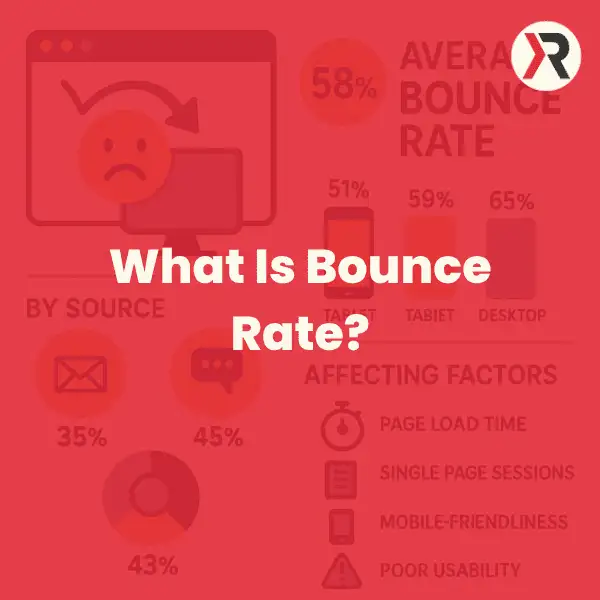
Bounce rate is the percentage of sessions that were not engaged sessions. In Google Analytics 4 (GA4), an engaged session lasts longer than 10 seconds, records a key event, or includes at least two page or screen views. Bounce rate is therefore the inverse of engagement rate.
That definition matters. A visitor can read a useful answer and leave without visiting another page, yet GA4 may still count the session as engaged if it lasts longer than 10 seconds. Bounce rate is not simply a count of people who viewed one page and left, as it was commonly described under older analytics models.
Why bounce rate matters
Bounce rate is a diagnostic metric. It helps you investigate whether a page matches the visitor's intent, loads quickly, works on their device and gives them a clear next step. It does not explain the cause by itself.
Assessing site health
A high bounce rate on an ecommerce product page could point to slow loading, weak product information, an unexpected price, poor mobile usability or traffic from the wrong search or advert. A guide that answers one specific question may naturally produce fewer onward clicks while still satisfying the reader.
Judge the metric against the purpose of the page. Compare like with like: landing pages with landing pages, service pages with service pages, and articles with articles. Your own trend data and conversion outcomes are more useful than a universal industry benchmark.
Bounce rate and SEO
Google Analytics bounce rate is not a direct Google Search ranking input. It can still expose problems that matter to people and to search performance, such as a mismatch between the search query and the page, an intrusive mobile experience, slow loading or content that does not answer the question.
Google describes page experience as a collection of signals rather than one score. Core Web Vitals are used by Google's ranking systems, while useful and relevant content remains fundamental. Treat bounce rate as evidence that prompts investigation, not as a ranking target to manipulate.
Bounce rate and paid campaigns
For PPC landing pages, a rise in bounce rate can expose a gap between the advert and the page. Check whether the search term, advert promise, landing-page heading, offer and call to action tell one consistent story. Pair the metric with form submissions, calls, key events and cost per useful enquiry before changing a campaign.
How to find bounce rate in GA4
Bounce rate is available in Google Analytics 4, although it may not appear in a standard report by default. An editor or administrator can customise a detail report, add the Bounce rate metric and save the change.
- Open Reports and select the detail report you want to analyse, such as Pages and screens or Traffic acquisition.
- Select Customise report, then Metrics.
- Add Bounce rate, apply the change and save the report if you have the required permission.
Segment the data before drawing conclusions. Compare device categories, channels, landing pages, new and returning users, and meaningful date ranges. A site-wide average can hide the page or traffic source that actually needs attention.
Read bounce rate with other measures
- Engagement rate: the percentage of sessions that meet GA4's engaged-session criteria.
- Average engagement time: the time the site or app was actively in focus.
- Key events and conversions: the actions that represent a useful business or user outcome.
- Landing-page and channel data: the context that shows what the visitor expected before arriving.
A high bounce rate with meaningful reading time may indicate that the page delivered a complete answer. A high bounce rate combined with very low engagement time, no key events and poor conversion performance is a stronger signal that something is wrong.
What can cause a high bounce rate?
Slow page loading
Delay creates friction before the visitor can judge the content. Google research found that the probability of a mobile visitor bouncing increased by 32% as page load time rose from one second to three seconds, and by 90% as it rose from one second to five seconds. This is historical research rather than a 2026 UK benchmark, but it remains useful evidence of the relationship between delay and abandonment.
Compress appropriately sized images, reduce unnecessary JavaScript, use effective caching and test real pages on mobile connections. Diagnose the cause with PageSpeed Insights and field data rather than assuming that one optimisation will fix every page.
Weak mobile experience
Google uses the mobile version of a site's content for indexing and ranking. Small text, unstable layouts, controls that are difficult to tap and content hidden on mobile can frustrate visitors and weaken the page. Responsive design should preserve the same useful primary content and structured data across devices.
Confusing navigation or page structure
Visitors should be able to identify who the page is for, what it offers and what to do next. A clear heading hierarchy, readable paragraphs, descriptive links and a focused call to action reduce the work required to understand the page.
Content that misses the intent
A technically fast page can still fail if the content does not answer the query or the advert promises something the page does not provide. Review the search terms and questions that brought visitors to the page, then make the answer clear near the beginning.
Tracking and technical faults
Broken tags, duplicate analytics events, consent configuration, JavaScript errors and incorrect key-event settings can distort the number. A sudden move towards zero or an unexplained site-wide change should trigger a measurement audit before a content redesign.
A practical bounce-rate improvement plan
- Start with pages that matter commercially and have enough traffic to produce useful evidence.
- Confirm that analytics, consent and key events are configured correctly.
- Segment by landing page, channel and device to locate the real pattern.
- Check search or advert intent against the page heading, answer, offer and call to action.
- Test loading performance, mobile usability, navigation and form behaviour.
- Make one prioritised change or a controlled set of related changes, then annotate the date.
- Review engagement, key events and conversion quality as well as bounce rate.
Do not optimise for the lowest possible number. Internal links, video, tools and interactive features are useful when they help the visitor complete the task. Adding interaction only to manufacture an engagement event creates a cleaner dashboard, not necessarily a better website.
Bounce rate FAQs
Does bounce rate affect SEO rankings?
Google Analytics bounce rate is not a direct ranking factor. Use it to investigate relevance, usability and performance issues that may also affect visitors and search visibility.
What is a good bounce rate for a blog?
There is no reliable universal percentage. A reader may arrive, spend time with a complete answer and leave satisfied. Compare similar articles, traffic sources and time periods, then consider engagement time, key events and useful onward actions.
How quickly will improvements change the data?
The answer depends on traffic volume, the problem and the change. A repaired tracking fault can change reports immediately; a design or content test needs enough comparable sessions to evaluate; search traffic may take longer to reflect crawling and ranking changes. Record the change and use a sensible comparison period.
Can popups increase bounce rate?
Yes. A relevant, well-timed prompt may help some visitors, but an intrusive interstitial can obscure the main content and damage the experience, especially on mobile. Test the effect on completed enquiries and user behaviour rather than relying on popup-industry averages.
Should I prioritise mobile UX?
Yes. Test the content, navigation, forms and calls to action on common mobile viewport sizes and real devices. Google uses the mobile version of content for indexing, so mobile parity matters to both people and search visibility.
Can chatbots reduce bounce rate?
A chatbot can answer a useful question or guide someone to the right page, but it can also slow the page, cover content or interrupt the visitor. Implement one only where there is a clear service need, and measure enquiry quality and satisfaction as well as interaction events.
Does DNS affect bounce rate?
DNS lookup time is one component of the route to a loaded page. A reliable, well-configured DNS provider can reduce avoidable delay, but hosting, server response, assets, scripts and network conditions also affect performance.
Is a 0% bounce rate possible?
It is possible in a small or unusual dataset, but a persistent 0% rate on a normal website deserves investigation. Duplicate tags, automatically triggered engagement events or other measurement errors can make the result misleading.
Use bounce rate to ask better questions
Bounce rate does not tell you whether a website is good or bad. It tells you where to look more closely. Combine it with visitor intent, engagement time, key events, conversions, mobile usability and page performance to decide what deserves improvement.
If your pages attract visits but do not produce useful enquiries, explore Red Kite SEO's SEO services or arrange a practical review of the site and its measurement setup.
Sources
Google Analytics Help: Engagement rate and bounce rate
Google Search Central: Understanding page experience in Google Search results
Google Search Central: Mobile-first indexing best practices
Think with Google: Find out how you stack up to new industry benchmarks for mobile page speed

Pete Hogg
Pete Hogg is an accomplished SEO consultant with a proven track record of driving organic traffic and boosting online visibility. With 8 years of experience in the ever-evolving world of digital marketing, he has helped businesses achieve top rankings on search engines. A passionate advocate for SEO best practices, Pete Hogg combines technical expertise with a deep understanding of content strategy to deliver results that matter. When not optimising websites, he enjoys wheelchair rugby. Connect with Pete Hogg to take your online presence to the next level.
Read Pete Hogg’s author profile →